Cookie Consent, Cookieless Pings, Google Analytics and Attribution
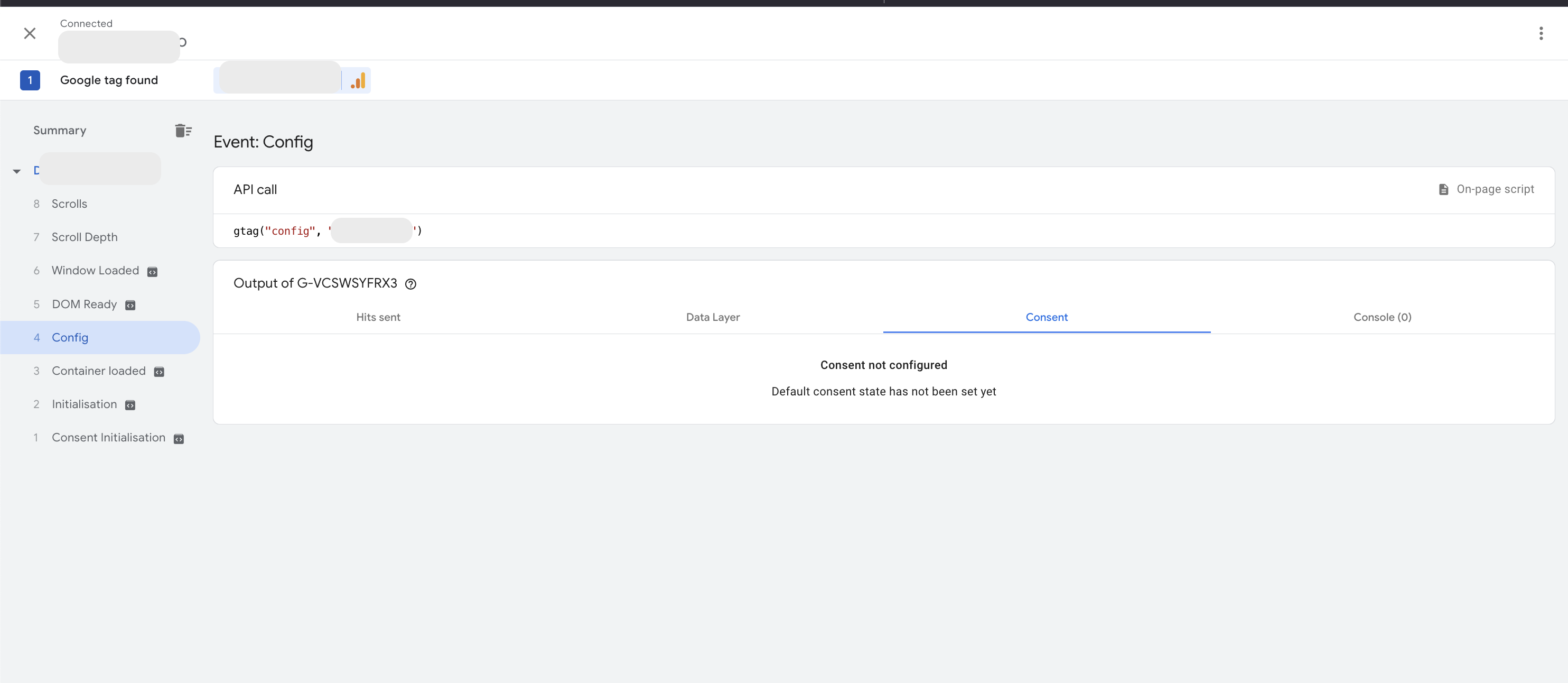
Google Tags Without Consent State Configured
What happens if you don’t configure a consent state for a Google Analytics (GA) tag? By default, GA processes the data as if consent were granted. Data is not impacted, though this default behavior may change in the future.
Basic and Advanced Consent Mode
How Consent Mode Works documentation covers basic and advanced consent mode.
With basic consent mode, tags are blocked until consent is granted. This may lower overall traffic volume, but the attribution distribution is not impacted technically. In practice, traffic may skew towards more engaged channels that are more likely to accept consent such as Direct, Organic or Paid Search.
Setting up Advanced Consent Mode allows Google tags to fire before consent acceptance using cookieless pings. Using these pings alongside Google Machine Learning modeling lets GA get a closer-to-complete view of all web traffic than otherwise.
The url_passthrough utility is used to preserve UTM, gclid or other campaign query parameters that would otherwise be stored in cookies. With url_passthrough, these URL parameters follow the user around from page to page until cookie acceptance, at which point a session is initiated with the passed through parameters on consent update.
In both cases you should still update consent state on acceptance to facilitate GA modeling quality, and to future-proof your setup.
Cookieless Pings
Without cookies, GA is not able to measure individual users or sessions. Cookieless events are fired as if standalone, detached from any session or user. GA uses modeling to try to fill in the gaps, provided thresholds in volume are met.
Google Analytics uses a cookie _ga to identify a user (browser) and this cookie value gets sent in regular hits.
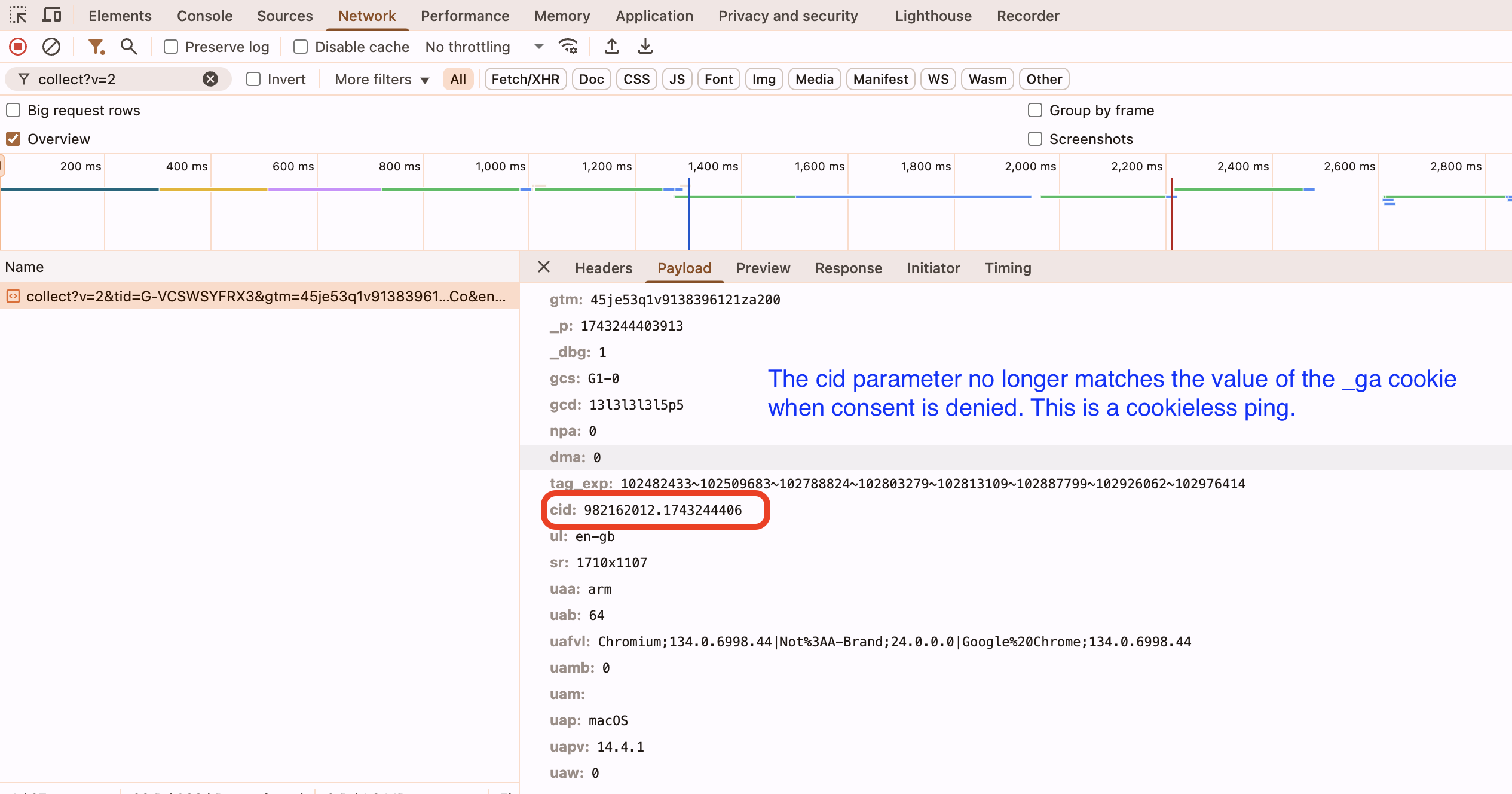
To see what a cookieless ping looks like, I overrode the default GTAG consents to "denied", implying an advanced consent mode set up, and then compared two page_view hits in the console.
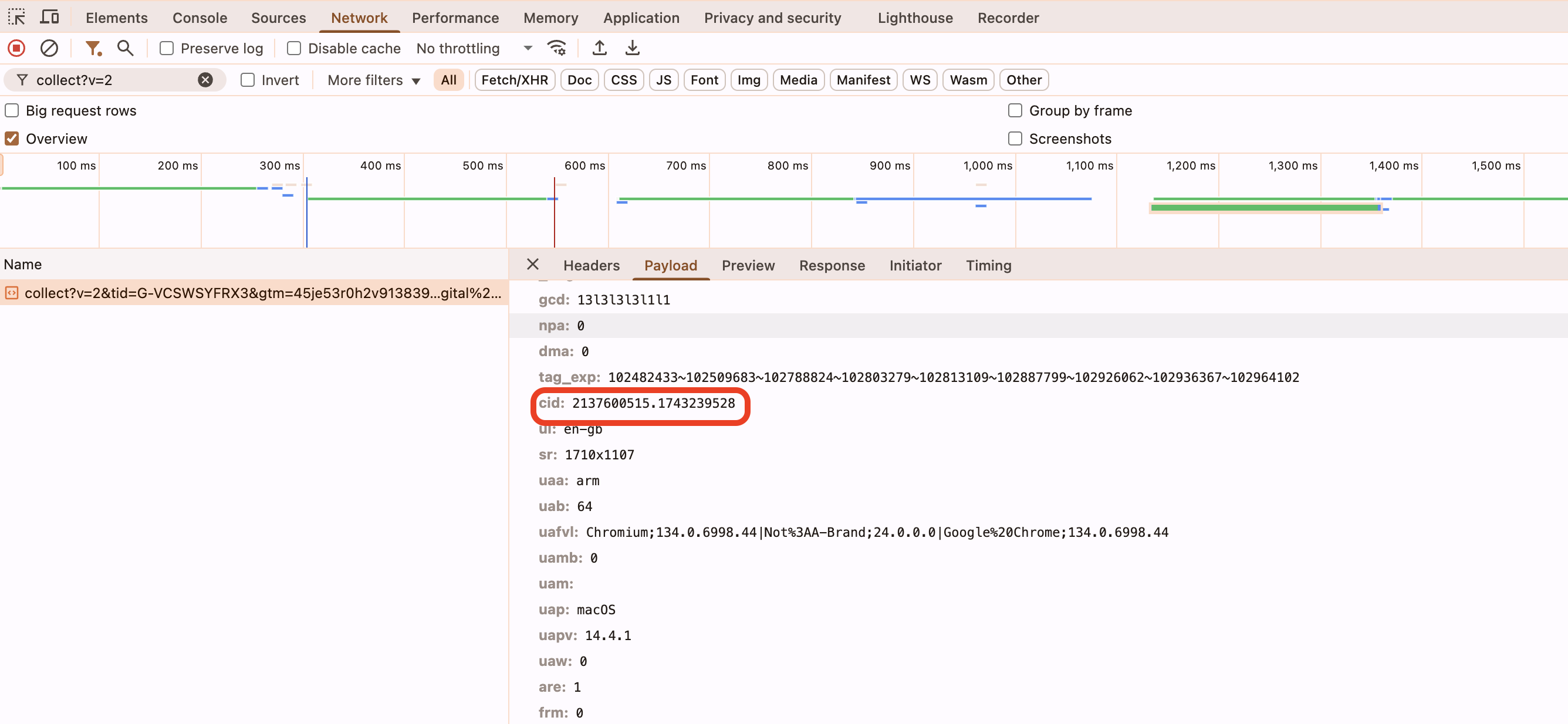
When consent has been granted or not configured, the value of this cookie is sent with the hit in the cid parameter (client id). Note that, aside from the prefix "GA1.1.", the values match in the two screens below. The _ga cookie value is sent in the cid parameter of the ping:
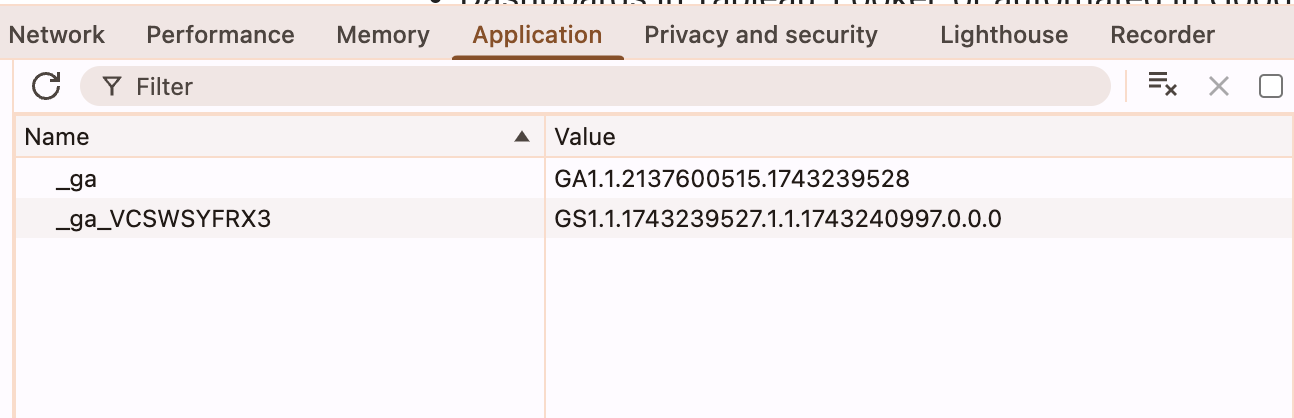
But when consent has been denied, the hit is still sent, but with a random cid. The hit below was sent from the same browser where the value of cookie _ga was still GA1.1.2137600515.1743239528, however the cid parameter was a random value. This randomization ensures the ping remains detached from any session or user, preventing session continuity until consent is granted and the _ga cookie value can be linked.
It's a cookieless ping: